How it works
From idea to live competition business.
Twelve steps, in two phases. The first phase is free and needs nobody’s approval. The second opens your site to players. You can do the first today.
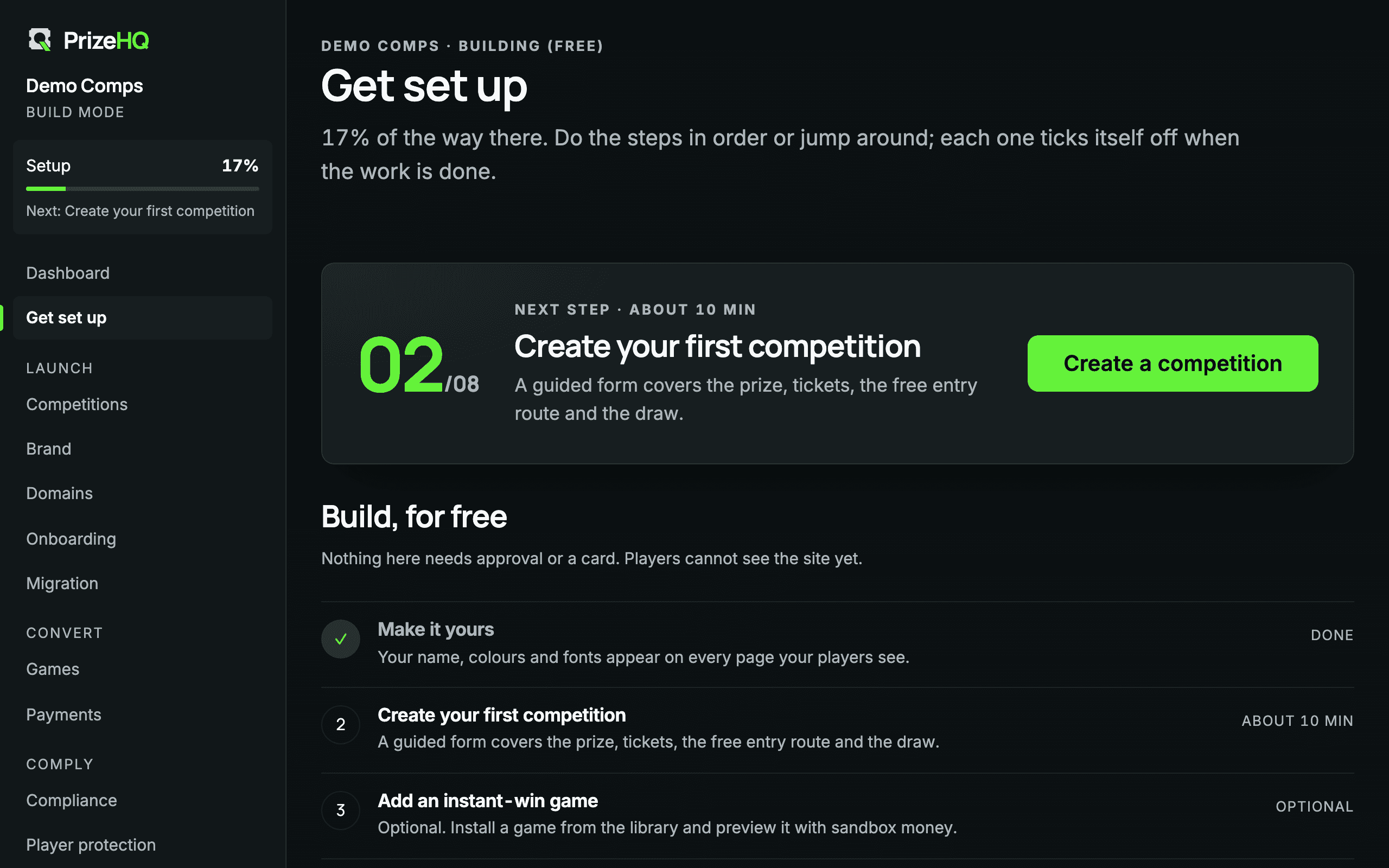
Phase one
Build, for free.
Nothing here needs a card, a call or an approval. Players cannot see the site yet.
Create a free workspace
Enter a business name, choose a web address and confirm your email with a code. Your site is created on a platform subdomain in Build Mode.
Configure your brand
Name, colours, fonts and corners on the brand desk, with a live preview. Unreadable colour combinations are refused.
Build your website
The pages a competition site needs already exist: competitions, free entry, winners, player protection, legal and trust.
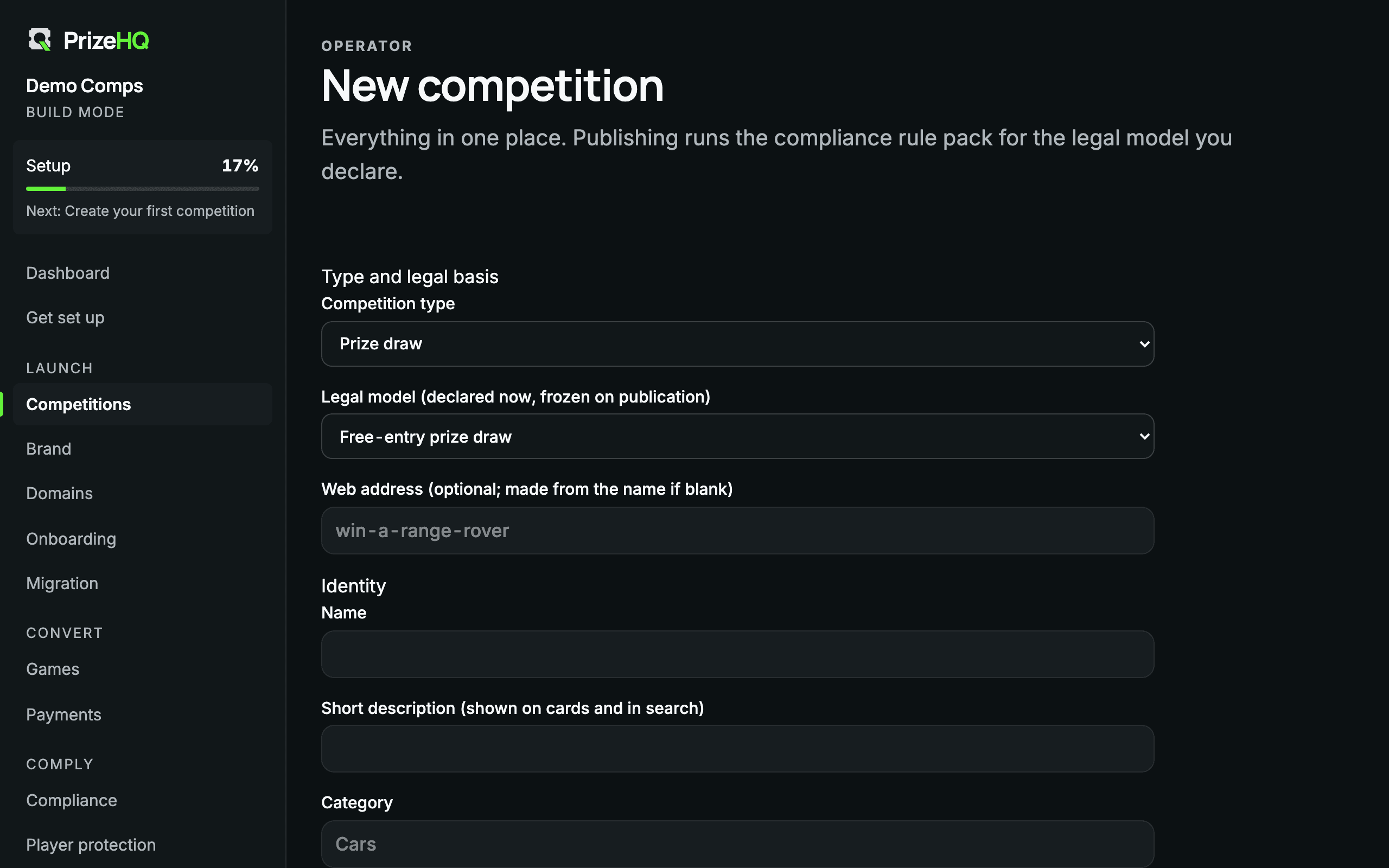
Create a competition
One guided form covers the prize, tickets, pricing, the free entry route, the legal model and the draw.
Install a game
Add Scratch or Drop from the Games Library, theme it, author a campaign and play it through with sandbox money.
Connect analytics
Register your own Search Console, Analytics, Tag Manager and advertising identifiers. Tags wait for visitor consent.
In the product
One guided form per competition.
Publishing runs the rule checks for the legal model you declare. Until they pass, the competition stays a draft, and you can see exactly which check is outstanding.
Phase two
Open to players.
These steps switch the site from sandbox to real entries.
Add your business information
Submit evidence against the business checklist. Platform staff review each item; you cannot approve your own.
Connect your payment provider
Player payments run through your own merchant account. The platform never receives or holds player funds.
Connect your custom domain
Add your domain and publish one DNS record to prove ownership.
Choose a paid plan
Pick Launch, Growth or Scale. Billing starts when your first custom domain is verified.
Complete launch checks
The readiness panel shows every blocking check and links to the desk that clears it.
Publish
With the checks met, the site goes live on your domain. Nothing is rebuilt: the site you previewed is the site players see.
Questions
Before you begin.
How long does the build phase take?
The guided setup estimates about a quarter of an hour for the two required build steps, your brand and a first competition. How long you spend on design is up to you.
What if I stop building for a while?
An idle free site is hibernated after 60 days. Nothing is deleted, and one click restores it.
Do I need to talk to anyone to start?
No. There is no demo to book and no sales form. Start, build, and get in touch only if you want to.
Go deeper
Keep exploring.
Your competition business can start here.
Create your workspace, build your site and see the whole platform before you pay.
Start Building FreeYour subscription starts when your first custom domain is verified. Until then, building is free.